Why Is My Vape Flashing and Not Working? Causes and Fixes
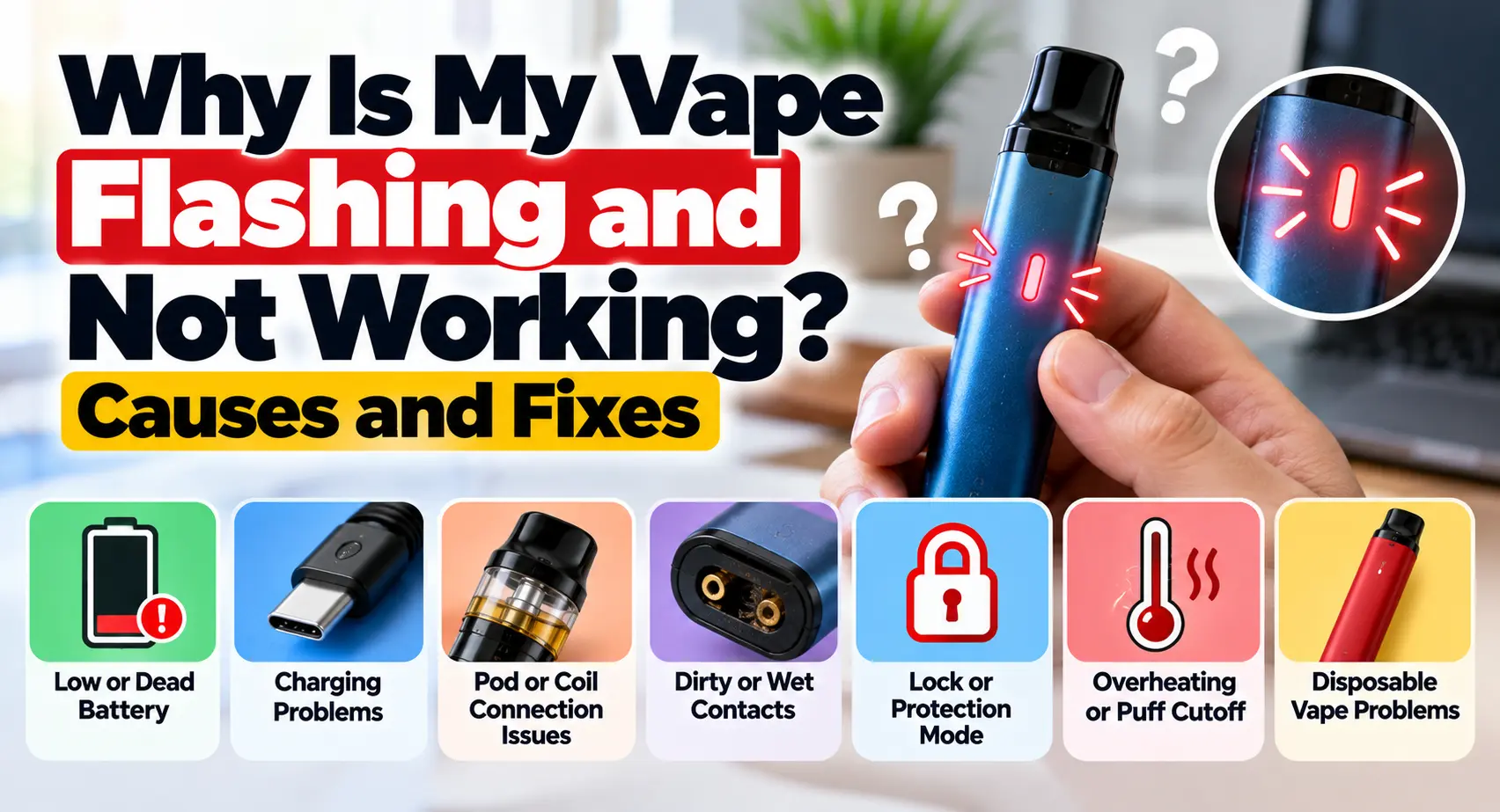
Why is my vape flashing and not working? A flashing light usually means the device is reporting a status, protection condition, connection problem or low battery. Common causes include a depleted battery, a pod or coil that is not making proper contact, dirty or wet contacts, a charging problem, an activated lock, overheating or an electrical fault.
Vape devices have also changed considerably over time, from early e-cigarette designs to modern disposables, pod systems and regulated devices. If you want the background, see our guide to when vapes came out.
Start with simple checks such as the battery, pod connection and contacts. If the device becomes unusually hot, swells, leaks from the battery area, smells unusual or appears physically damaged, stop using and charging it rather than trying to repair it.
Table of Contents
- What a flashing vape means
- Quick troubleshooting checklist
- Low or dead battery
- Charging problems
- Pod and coil connection problems
- Dirty or wet contacts
- Lock and protection modes
- Overheating and puff cutoff
- Disposable vape problems
- Blink counts and colors
- When to replace the device
- FAQs
Why Is My Vape Flashing and Not Working?
Before assuming the device is broken, look at exactly when it flashes.
Does it blink when you inhale? When you press the fire button? Only while charging? Immediately after inserting the pod? Or after a long draw?
Those details help narrow down the problem.
For most rechargeable pod systems and vape pens, a sensible first troubleshooting sequence is:
- Check whether the battery needs charging.
- Confirm the device is not locked.
- Remove and correctly reinstall the pod or tank.
- Check that accessible contacts are clean and dry.
- Inspect the pod or replaceable coil for an obvious problem.
- Check the user manual for the exact LED pattern.
- Stop troubleshooting if the battery or device shows signs of damage.
If you are unfamiliar with the parts being discussed, our guide explaining what a vape looks like covers common pods, tanks, coils, batteries and mouthpieces.
1. The Battery May Be Low or Depleted
Battery condition is one of the first things to check when a vape not firing starts blinking.
A regulated vape requires enough battery power to operate its heating element. When the battery falls below the device’s operating threshold, its electronics may prevent firing and use the LED to indicate low power.
With a rechargeable device, charge it according to the manufacturer’s instructions and then test it again.
If it works after charging, the problem was probably straightforward.
What If It Is a Non-Rechargeable Disposable?
Do not try to recharge a disposable that was not designed to be rechargeable.
A non-rechargeable disposable with a depleted battery has generally reached the end of its usable life. Opening it, attaching wires or attempting to improvise a charging connection introduces unnecessary lithium-ion battery risk.
Rechargeable disposables are different. If the manufacturer provides a charging port and charging instructions, follow those instructions.
2. The Vape May Not Actually Be Charging
If charging does not solve the problem, do not immediately assume the battery itself is dead.
The charging path can also fail.
Possible causes include:
- A damaged or incompatible cable
- Dirt or debris around the charging port
- A loose or damaged port
- A power source that does not meet the device requirements
- Damage to the battery or internal charging electronics
Official manufacturer troubleshooting guidance commonly recommends checking the charging cable, charging source and USB port when a device fails to charge.
If you have another compatible cable that meets the manufacturer’s specifications, testing it can help identify a cable problem.
Do not force a connector into a damaged or loose port.
Why Is My Vape Flashing While Charging?
A vape flashing while charging is not automatically malfunctioning.
On some devices, blinking is part of the normal charging indicator. On others, different colors or patterns indicate battery level, charging status or a fault.
This is another situation where the device manual matters more than a generic online blink chart.
If charging behavior suddenly changes, the device repeatedly disconnects, or it becomes unusually hot, stop charging it and consult the manufacturer.
3. The Pod or Tank May Not Be Making Contact
A vape can have a charged battery but still refuse to fire if it cannot properly detect the pod, cartridge, tank or coil.
Pod systems depend on electrical contact between the removable pod and the device. If the pod is not completely seated, the electronics may interpret that as a missing atomizer or connection fault.
Remove the pod and reinstall it according to the manufacturer’s directions.
Check whether it sits evenly and securely.
With a replaceable-coil system, confirm that the coil is installed as intended. Do not overtighten or force components that do not fit normally.
A poor connection is especially worth checking when the device powers on normally but starts blinking only when you try to inhale or fire it.
4. Dirty or Wet Contacts Can Interrupt the Connection
Condensation and small amounts of e-liquid can collect around accessible pod contacts during normal use.
That residue may interfere with the connection between the pod and device.
If the manufacturer permits routine cleaning, turn the device off when possible, remove the pod and wipe accessible contact surfaces with a clean, dry material.
Make sure the area is dry before reinstalling the pod.
Avoid inserting metal objects into the device or scraping internal components.
If significant liquid has entered the electronics or battery area, stop using the device. Internal liquid damage is different from wiping normal condensation from an accessible pod compartment.
5. The Coil or Pod May Have Failed
A replaceable pod or coil is another possible cause when a vape blinking and not hitting has enough battery power.
Coils do not last indefinitely. Their usable life varies with the product, e-liquid, power level and usage pattern.
A coil problem may be accompanied by:
- Weak or inconsistent vapor
- Burnt or unusual taste
- Leaking or gurgling
- Failure to detect the pod or atomizer
- An error message on devices with screens
If the device supports replaceable pods or coils and the manufacturer recommends replacement for the displayed fault, installing a compatible replacement can help determine whether the consumable component was responsible.
Do not attempt to dismantle a sealed disposable to reach its coil.
6. The Device Could Be Locked
Some button-operated devices include a lock or power-off function to prevent accidental activation.
A common design uses several rapid button presses, but the exact sequence varies by manufacturer and model.
Do not assume that five clicks will unlock every vape.
Check the instructions for your specific device.
Some newer draw-activated devices can also have locking mechanisms. A device that lights up but refuses to fire may therefore be functioning exactly as designed.
If unlocking it according to its manual restores normal operation, there was no hardware fault.
7. A Safety Cutoff May Have Activated
Many regulated vaping devices have protection features that stop power delivery under certain conditions.
Depending on the model, protection can respond to conditions such as:
- An excessively long activation
- A short circuit
- Resistance outside the device’s supported range
- Low battery voltage
- Excessive temperature
- Connection problems
The LED or display may then indicate why firing stopped.
These protections should not be treated as obstacles to bypass.
If the device repeatedly reports an electrical fault, particularly a short-circuit warning, stop trying to fire it until the cause has been identified through the manufacturer’s troubleshooting instructions.
8. A Long Puff Can Trigger the Cutoff
Sometimes why is my vape flashing and not working has a simple explanation: the device stopped an unusually long activation.
Many devices have a maximum firing time. Once that time is reached, power to the coil is interrupted.
The exact cutoff duration varies by model, so a universal “8-second” or “10-second” rule should not be applied to every vape.
A useful clue is behavior.
If the device operates normally with ordinary draws but flashes only after an extended activation, the cutoff feature may be responsible.
Consult the manual to confirm the behavior for that device.
9. The Device May Be Too Hot
Temperature protection can also prevent some devices from firing.
Repeated activation, environmental heat or an internal fault may increase device temperature.
If a vape becomes warmer than expected, stop using it and allow it to return to normal temperature naturally in a safe location.
Do not place an overheated vape in a refrigerator or freezer.
More importantly, distinguish ordinary warmth during operation from a battery safety warning.
Health Canada warns that lithium-ion batteries can overheat, catch fire or explode when damaged or improperly handled. It recommends following manufacturer instructions for charging and storage and specifically advises consumers not to modify vaping devices.
If the device becomes unusually hot, swells, appears damaged or behaves unpredictably during charging, discontinue use.
10. Airflow Problems Can Affect Draw-Activated Vapes
Draw-activated devices rely on airflow sensing to trigger operation.
A blocked intake, condensation or another airflow problem may therefore prevent activation even when the battery has power.
Check visible air inlets for obvious obstruction and make sure your fingers are not covering them during use.
Do not push pins, needles or other objects deep into airflow openings.
If accessible condensation is present around a removable pod, clean the device only according to the manufacturer’s maintenance instructions.
Persistent sensor problems in a sealed disposable generally are not a reason to open the device.
11. Why Is My Disposable Vape Flashing?
A disposable vape flashing can have several explanations, depending on whether the device is rechargeable.
Common possibilities include:
- Battery depletion
- A low-battery warning
- Puff-time protection
- An internal connection or sensor problem
- Over-temperature protection
- A manufacturing defect
- The device reaching the end of its usable life
With a non-rechargeable disposable, there may be little safe troubleshooting available beyond checking for blocked external airflow and confirming whether the device has reached the end of its life.
With a rechargeable disposable, use only its intended charging system and follow the manufacturer’s directions.
Do not open a disposable to reconnect wires, replace its internal battery or manually charge a cell.
If a brand-new disposable repeatedly flashes and never operates after the normal setup instructions have been followed, contact the retailer or manufacturer rather than attempting an internal repair.
12. What Do 3, 5 or 10 Blinks Mean?
This is where many troubleshooting articles become misleading.
There is no universal vape blink-code standard.
Three blinks might indicate one condition on one model and something else on another. The same problem applies to five blinks, ten blinks and different LED colors.
Therefore:
| What You See | What to Do |
|---|---|
| Repeated blinking when firing | Check manual for the exact pattern |
| Blinking after a long draw | Check for the model’s puff-time cutoff |
| Blinking with a low battery | Charge only if the device is rechargeable |
| Blinking after installing a pod | Check pod/coil seating and contacts |
| Blinking while charging | Check the manual’s charging indicator |
| Fault plus unusual heat or swelling | Stop using and charging the device |
Do not diagnose a potentially electrical problem solely because an online article says “10 blinks means dead battery.”
The product manual or manufacturer’s support information should be the first source for interpreting a particular color and blink count.
13. What If the Vape Lights Up but Does Not Produce Vapor?
A light without vapor tells you that at least part of the electronics is responding, but it does not identify the fault by itself.
Check:
- Battery charge
- Lock status
- Pod installation
- Coil installation, where applicable
- Accessible contacts
- Airflow
- Model-specific error indication
If those checks do not identify the problem, a replaceable pod or coil may be worth testing if the manufacturer recommends it.
A sealed disposable should not be dismantled for further diagnosis.
14. What If the Vape Flashes Immediately After a New Pod?
Start with compatibility and installation.
Confirm that the pod or coil is designed for the exact device and that it has been installed correctly.
Then inspect the accessible contacts for packaging material, condensation or contamination.
If the old pod works and the new one does not, the new pod may be faulty or incompatible.
If neither pod works, the problem may be with the device rather than the consumable.
Again, the specific LED pattern or screen message should be checked against the manufacturer’s documentation.
15. What If a Brand-New Vape Flashes and Will Not Work?
A new device can fail because of an installation issue, low battery, lock setting, incompatible component or manufacturing defect.
Before returning it:
- Read the quick-start instructions.
- Remove any manufacturer-specified protective packaging.
- Confirm that removable components are correctly installed.
- Charge it only if the product is designed to be rechargeable.
- Check the LED pattern in the manual.
If it still does not operate, contact the retailer or manufacturer.
Opening a new sealed device to troubleshoot its battery or wiring can create a safety risk and may also affect warranty or return options.
16. When Should You Stop Troubleshooting?
Not every flashing vape should be “fixed.”
Stop using and charging the device if you notice:
- Battery swelling
- Significant physical damage
- Unusual or rapidly increasing heat
- Smoke from the device
- A strong unusual odor associated with the battery or electronics
- Repeated electrical fault warnings
- Liquid entering an internal battery compartment
- Damage to the charging port or exposed electrical components
Lithium-ion battery failures can cause fires and explosions.
Health Canada advises users not to modify vaping devices, to follow manufacturer charging instructions and not to exceed the recommended charging time.
When a battery-related safety problem is suspected, replacement or manufacturer support is preferable to an improvised repair.
17. How to Reduce Future Flashing Problems
Not every fault is preventable, but basic device care can reduce connection and charging problems.
Follow the Manufacturer’s Charging Instructions
Use the charging method specified for the device. Do not assume every USB charger is appropriate simply because the plug fits.
Keep Accessible Contacts Clean and Dry
For removable pod systems, periodically check the contact area for condensation or e-liquid and clean it according to the manufacturer’s instructions.
Use Compatible Pods and Coils
Similar-looking components are not necessarily electrically compatible.
Use components specified for the device.
Follow Recommended Power Settings
For adjustable devices, operate compatible coils within the manufacturer’s recommended range.
Protect the Battery
Avoid physical damage and extreme temperatures. Do not modify the battery, charging circuit or sealed device.
Frequently Asked Questions
Why Is My Vape Flashing and Not Working After Charging?
If the battery has genuinely charged, check the lock status, pod or coil connection and accessible contacts. The device may also be reporting an electrical or temperature fault. Check the exact flash pattern against the manual rather than assuming the battery is still the problem.
Why Does My Vape Flash When I Inhale?
A vape that flashes during an attempted draw may be reporting low battery, a connection problem, an activated safety feature or another model-specific condition. Draw-activated devices can also fail to activate correctly when airflow is obstructed. The manual should identify the exact LED behavior.
Why Is My Vape Blinking but It Has Battery?
Having enough power to illuminate an LED does not prove that the device can safely power its coil. A connection problem, incompatible or failed coil, lock setting, protection condition or electronic fault can still prevent firing.
Why Is My Disposable Vape Blinking and Not Hitting?
First determine whether it is rechargeable. A rechargeable disposable may simply need charging according to its instructions. A non-rechargeable device with a depleted battery may have reached the end of its usable life. Sensor faults, puff cutoffs and internal failures can also cause flashing.
Why Does My Vape Blink When I Take a Long Hit?
The device may be reaching its maximum firing-time protection. If it works normally with shorter draws and only flashes after a prolonged activation, check the manual for its cutoff behavior.